> ## Documentation Index
> Fetch the complete documentation index at: https://docs.zelto.ai/llms.txt
> Use this file to discover all available pages before exploring further.
# Speechify
> Connect a Speechify account and forward calls into Zelto.
## Connect
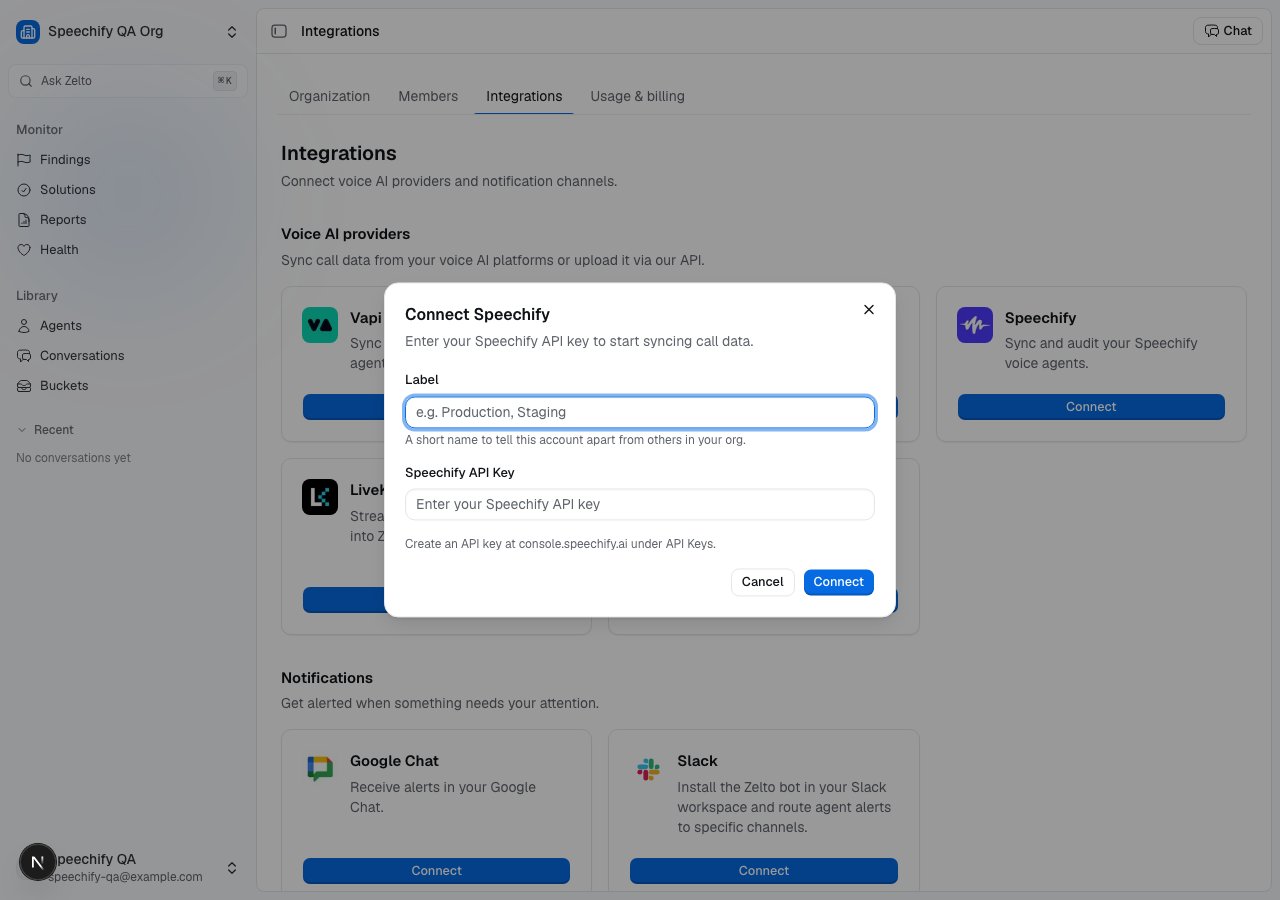
1. Open **Settings → Integrations → Speechify** and click **Connect Speechify**.
2. Paste your Speechify API key. Create one at
[console.speechify.ai](https://console.speechify.ai) under **API Keys**. We
use it to fetch agent metadata and call data on demand.
3. The card shows the webhook URL Zelto exposes. Copy it and set it as the
agent's `webhook_url` in Speechify so finished calls are pushed to us.
 You can connect multiple Speechify accounts to one organization.
## What gets ingested
Zelto ingests Speechify Voice Agent calls two ways:
* **Per-agent webhook** — set the webhook URL from the integration card as the
agent's `webhook_url` in Speechify. The `conversation.completed` event carries
the full transcript inline, so each finished call lands as a
[conversation](/docs/conversations) within a few seconds.
* **14-day backfill** — when you import an agent, Zelto automatically backfills
its calls from the past 14 days. Re-import an agent at any time to refresh that
history.
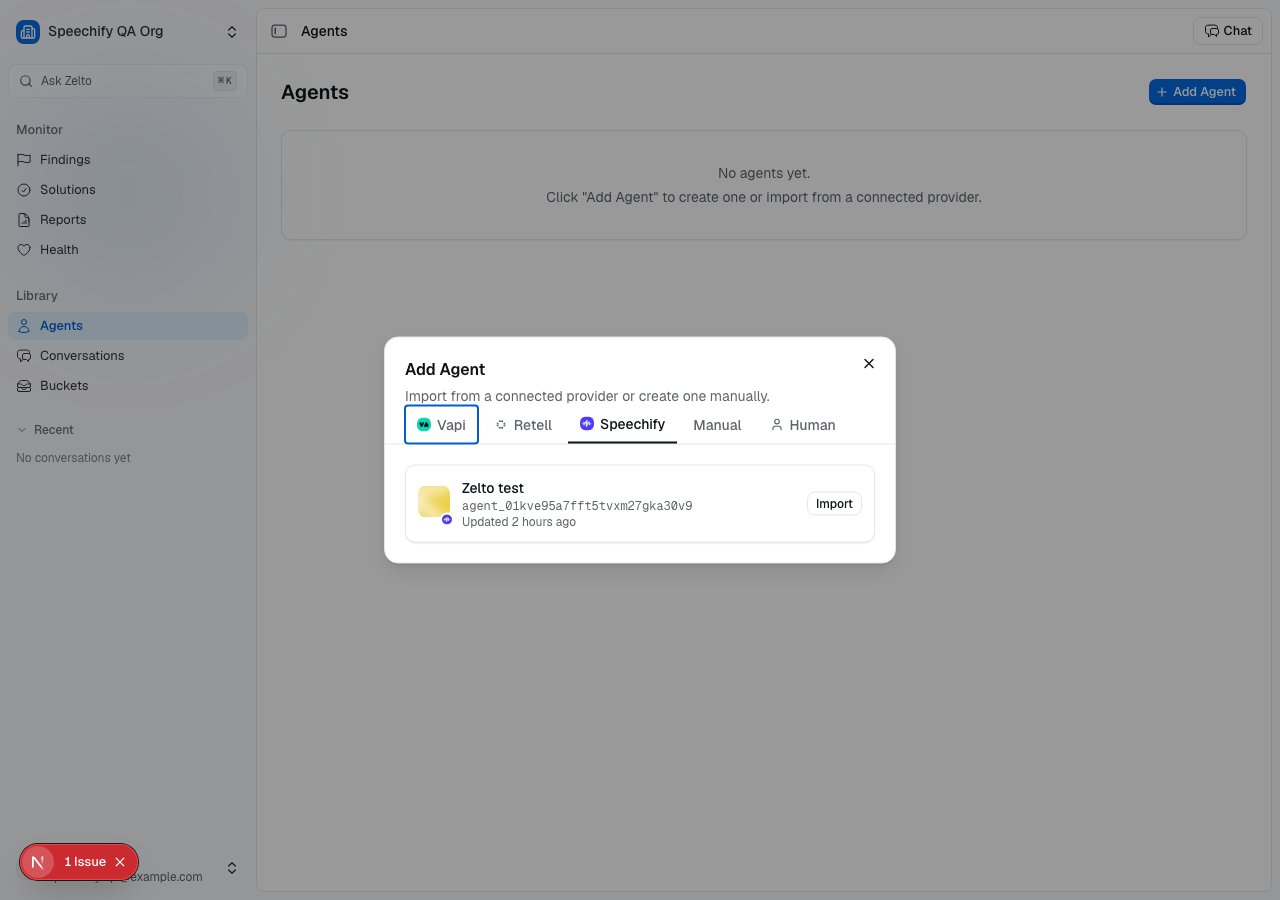
Import an agent from **Agents → Add Agent → Speechify**, which lists the agents
in your connected account.
You can connect multiple Speechify accounts to one organization.
## What gets ingested
Zelto ingests Speechify Voice Agent calls two ways:
* **Per-agent webhook** — set the webhook URL from the integration card as the
agent's `webhook_url` in Speechify. The `conversation.completed` event carries
the full transcript inline, so each finished call lands as a
[conversation](/docs/conversations) within a few seconds.
* **14-day backfill** — when you import an agent, Zelto automatically backfills
its calls from the past 14 days. Re-import an agent at any time to refresh that
history.
Import an agent from **Agents → Add Agent → Speechify**, which lists the agents
in your connected account.
 ## Verify the first call
Place a test call to your Speechify agent, then open
[Conversations](/docs/conversations) — the call shows up within a few seconds with
its transcript. If it doesn't, the agent's **Connections** card shows whether
calls are arriving and flags the most recent delivery if it errored. See
[Connect a voice provider](/docs/guides/connect-a-voice-provider#troubleshoot-a-missing-call).
## Connection status & disconnecting
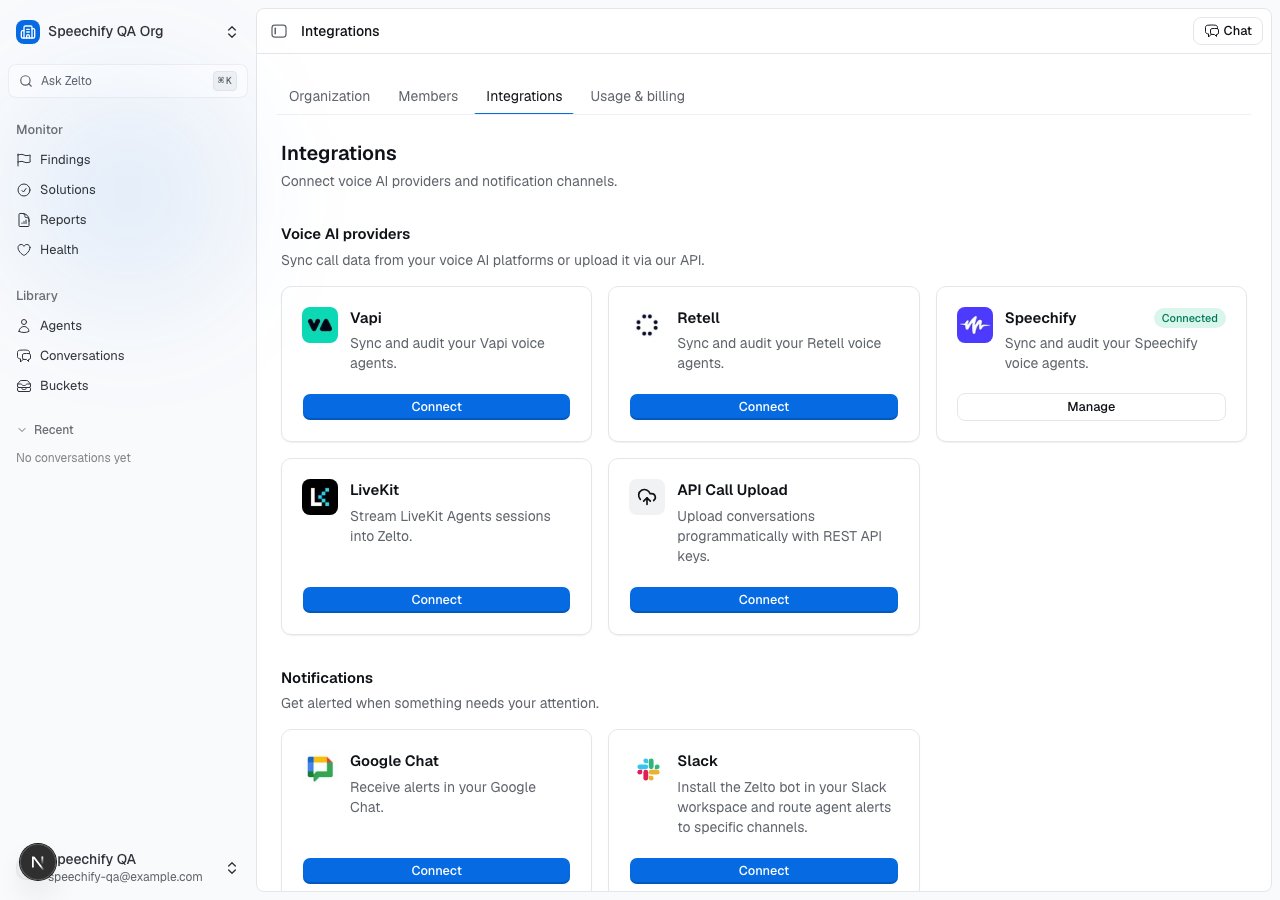
The card shows the connected account and the webhook URL Zelto exposes. The
**Disconnect** action removes the stored API key; remove the `webhook_url` from
your Speechify agent separately to stop the push side.
## Verify the first call
Place a test call to your Speechify agent, then open
[Conversations](/docs/conversations) — the call shows up within a few seconds with
its transcript. If it doesn't, the agent's **Connections** card shows whether
calls are arriving and flags the most recent delivery if it errored. See
[Connect a voice provider](/docs/guides/connect-a-voice-provider#troubleshoot-a-missing-call).
## Connection status & disconnecting
The card shows the connected account and the webhook URL Zelto exposes. The
**Disconnect** action removes the stored API key; remove the `webhook_url` from
your Speechify agent separately to stop the push side.
 ## Related
* [Connect a voice provider](/docs/guides/connect-a-voice-provider) — pick a path and verify ingestion.
* [Conversations](/docs/conversations) — where Speechify calls land.
* [Agents](/docs/agents) — how Zelto models each agent.
* [Findings](/docs/findings) — what analysis surfaces from each call.
* [Retell](/docs/integrations/retell) · [Vapi](/docs/integrations/vapi) — the other native voice integrations.
## Related
* [Connect a voice provider](/docs/guides/connect-a-voice-provider) — pick a path and verify ingestion.
* [Conversations](/docs/conversations) — where Speechify calls land.
* [Agents](/docs/agents) — how Zelto models each agent.
* [Findings](/docs/findings) — what analysis surfaces from each call.
* [Retell](/docs/integrations/retell) · [Vapi](/docs/integrations/vapi) — the other native voice integrations.